Find your way back.
Network interruption? DropoVPN retries automatically, reuses your credentials, and requests a fresh connection after sleep.
 dropovpn
Download
dropovpn
Download
An OpenVPN client that finds its way back when your network drops. Link your devices into one private mesh, share a local app with a link, and get on with your day.
macOS & Windows · Open source · Free to download
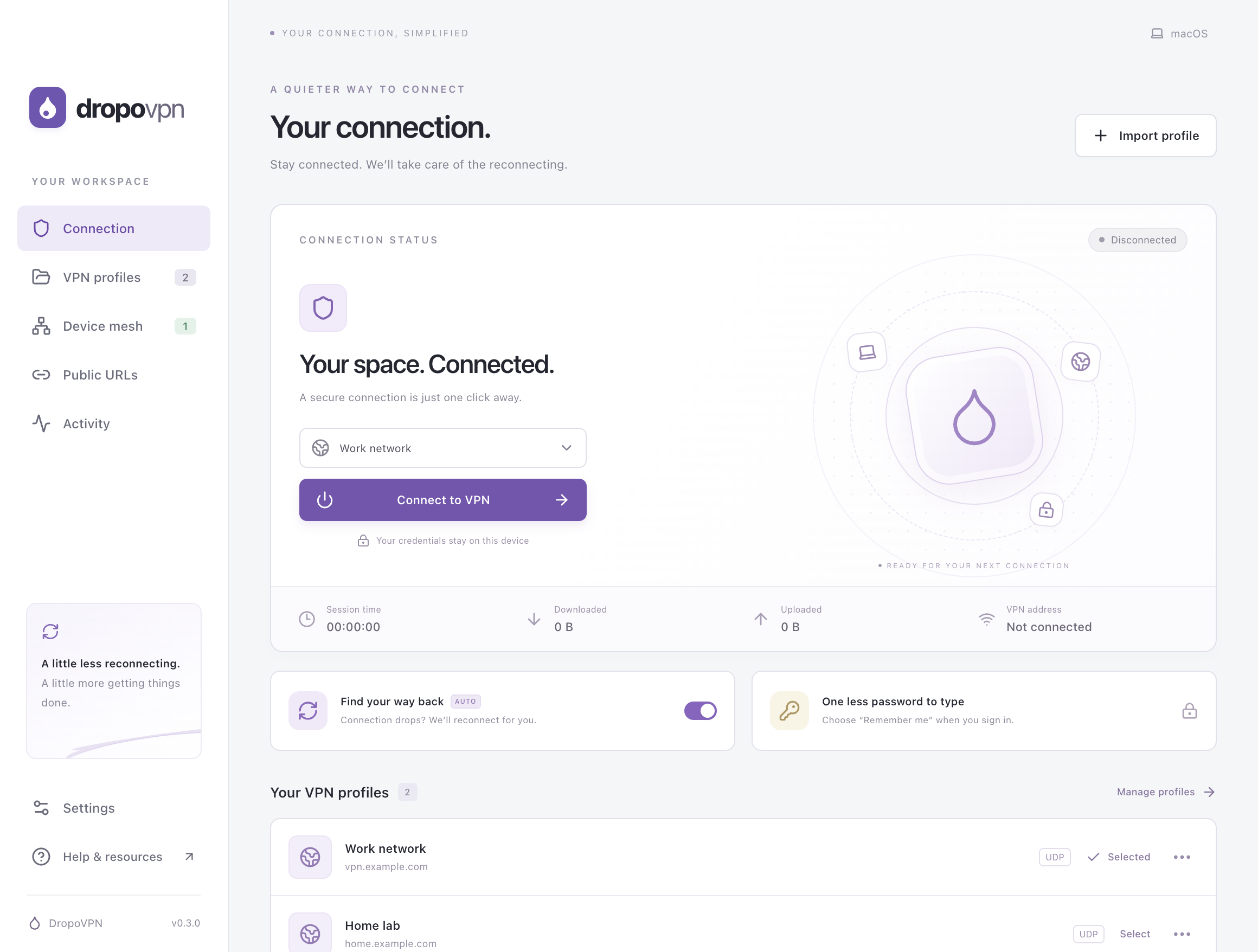
The actual desktop app, with example profiles. No active VPN connection is shown.
LESS FRICTION. MORE FOCUS.
For the connection you already have and the devices you work across, with the everyday conveniences you’ve been missing.
Network interruption? DropoVPN retries automatically, reuses your credentials, and requests a fresh connection after sleep.
Choose to save a password for each profile. It stays encrypted on your device with macOS Keychain or Windows DPAPI.
Import existing .ovpn files, switch between familiar networks, and keep your connection running in the menu bar or system tray.
Share localhost:3000 on one device and open it on your others. Devices connect directly when they can and through the DropoVPN relay when they can’t, end-to-end encrypted either way.
Turn a local web app into a public URL with Cloudflare, ngrok, or your own relay, and stop it with one click.
A PLACE FOR EVERY CONNECTION
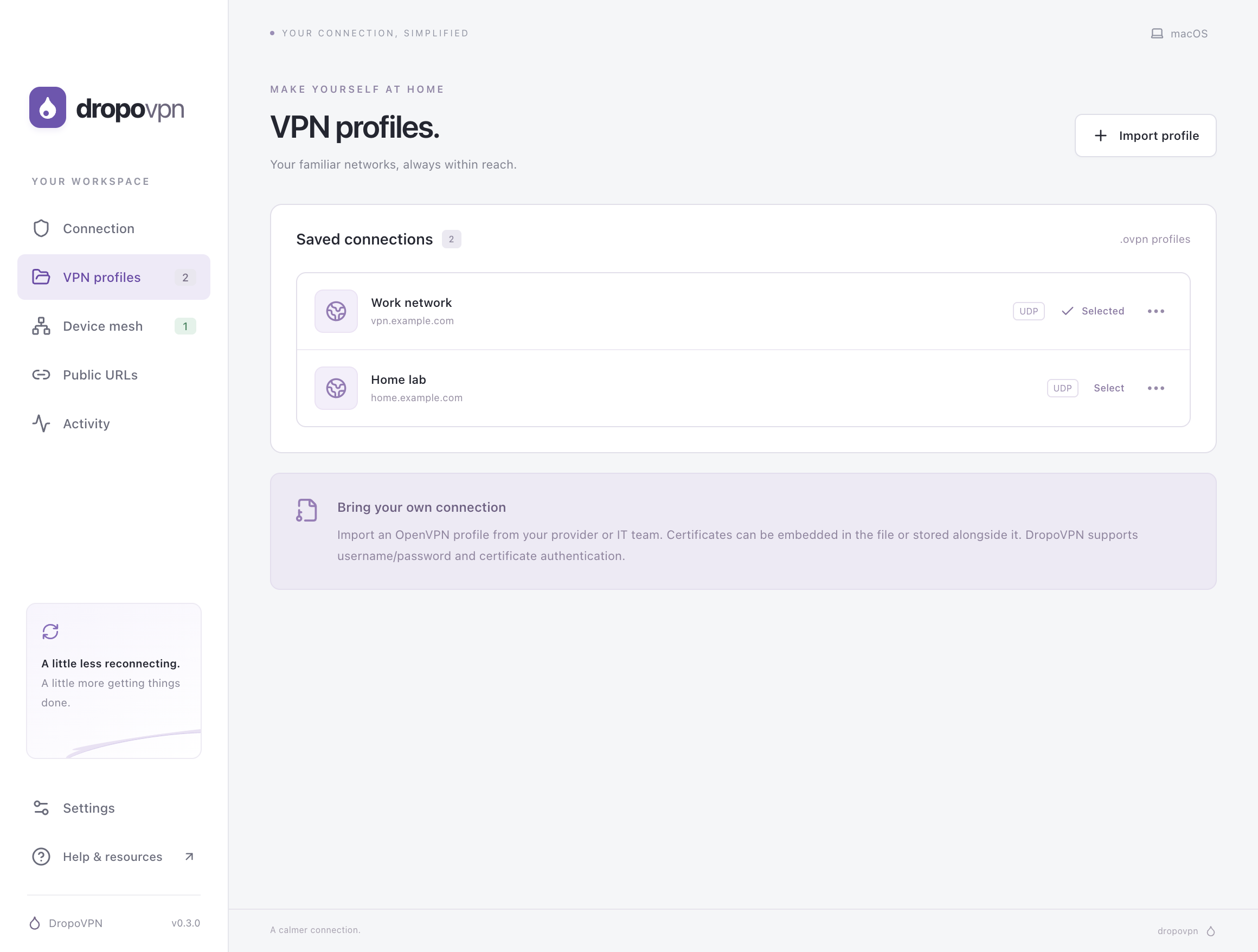
Keep multiple .ovpn profiles together. Rename a profile or forget its saved password from the profile menu.
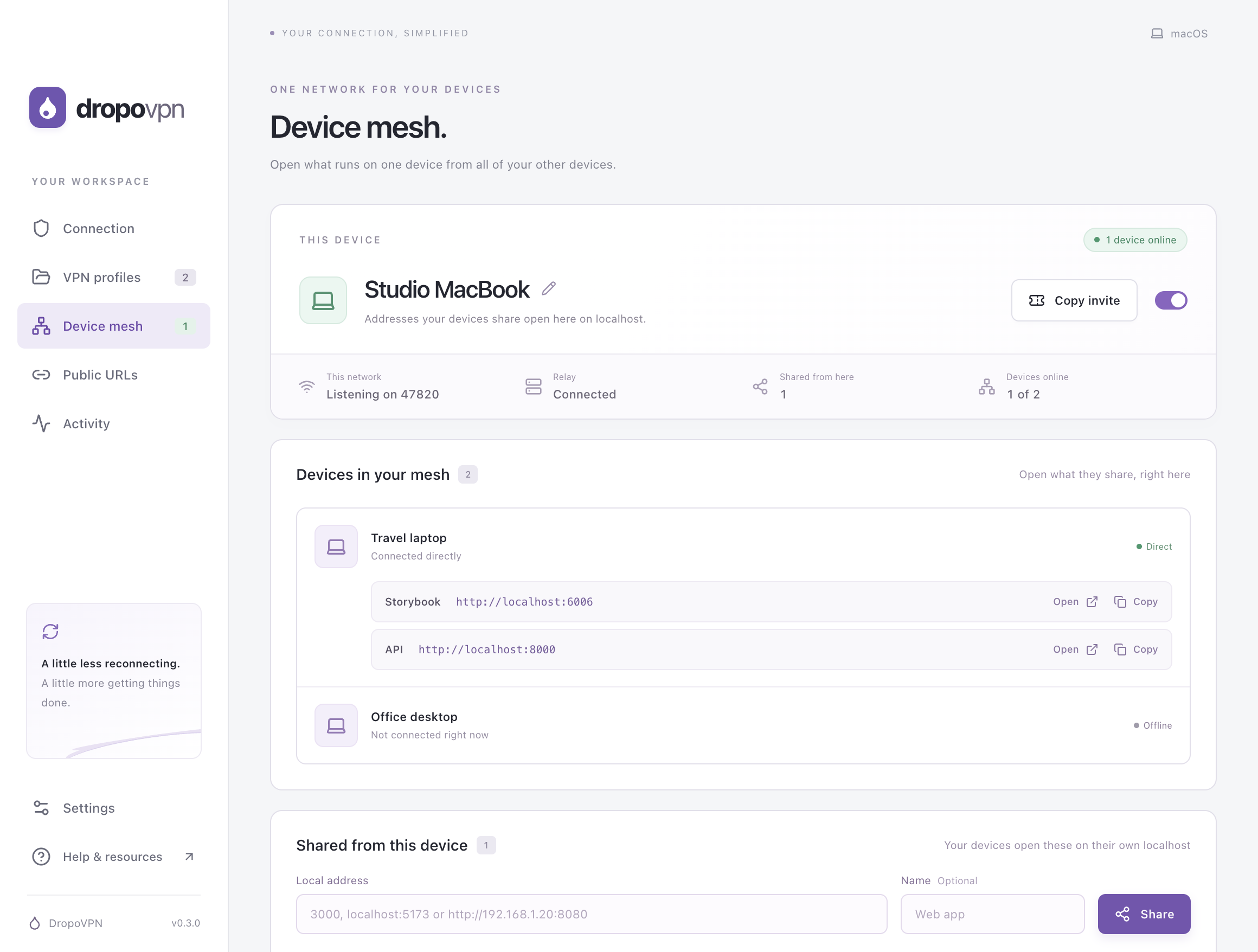
See your devices and open what they share on this computer’s localhost. Example devices, meshed on one computer.
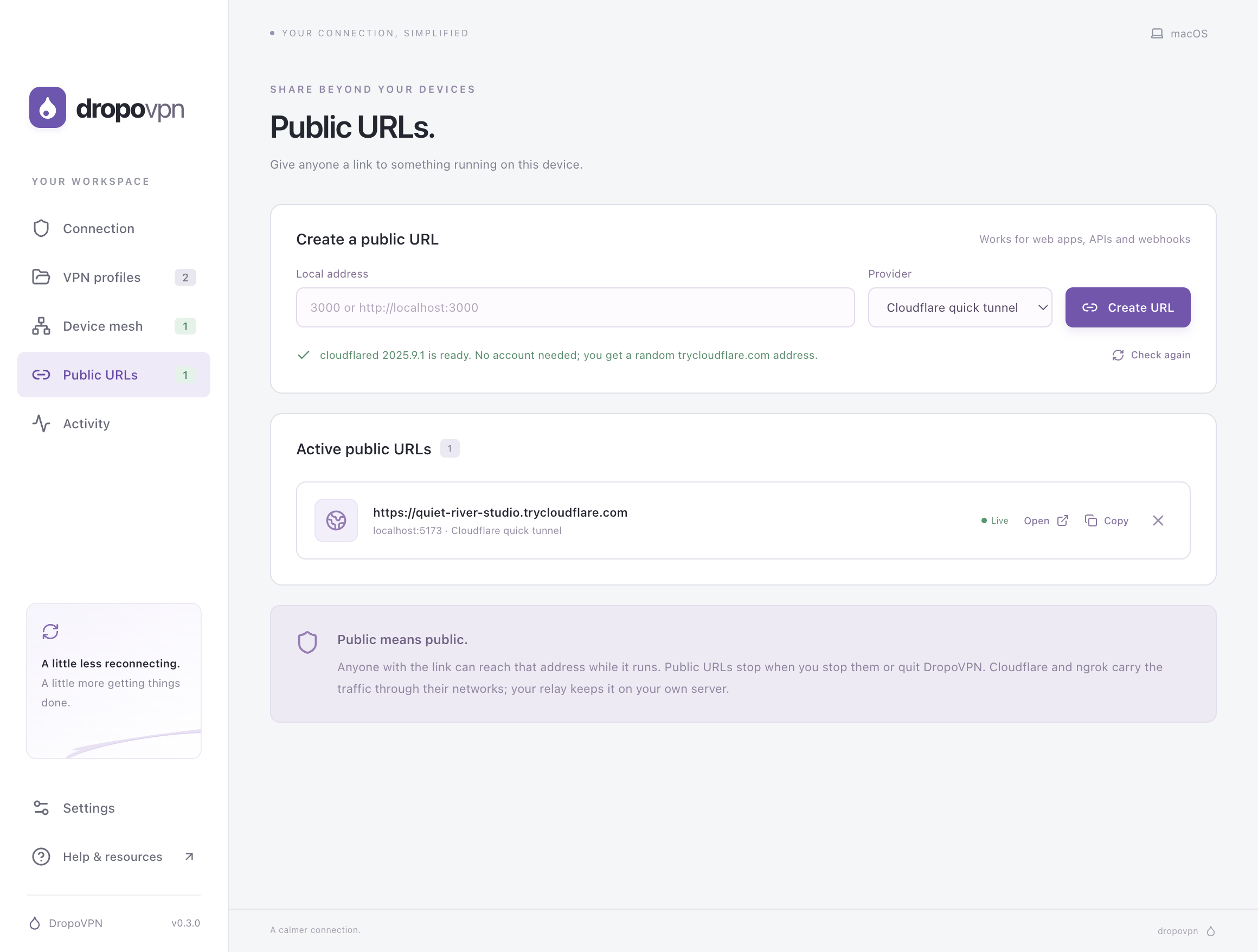
Give a local web app a public link, then open, copy or stop it. The address shown is an example.
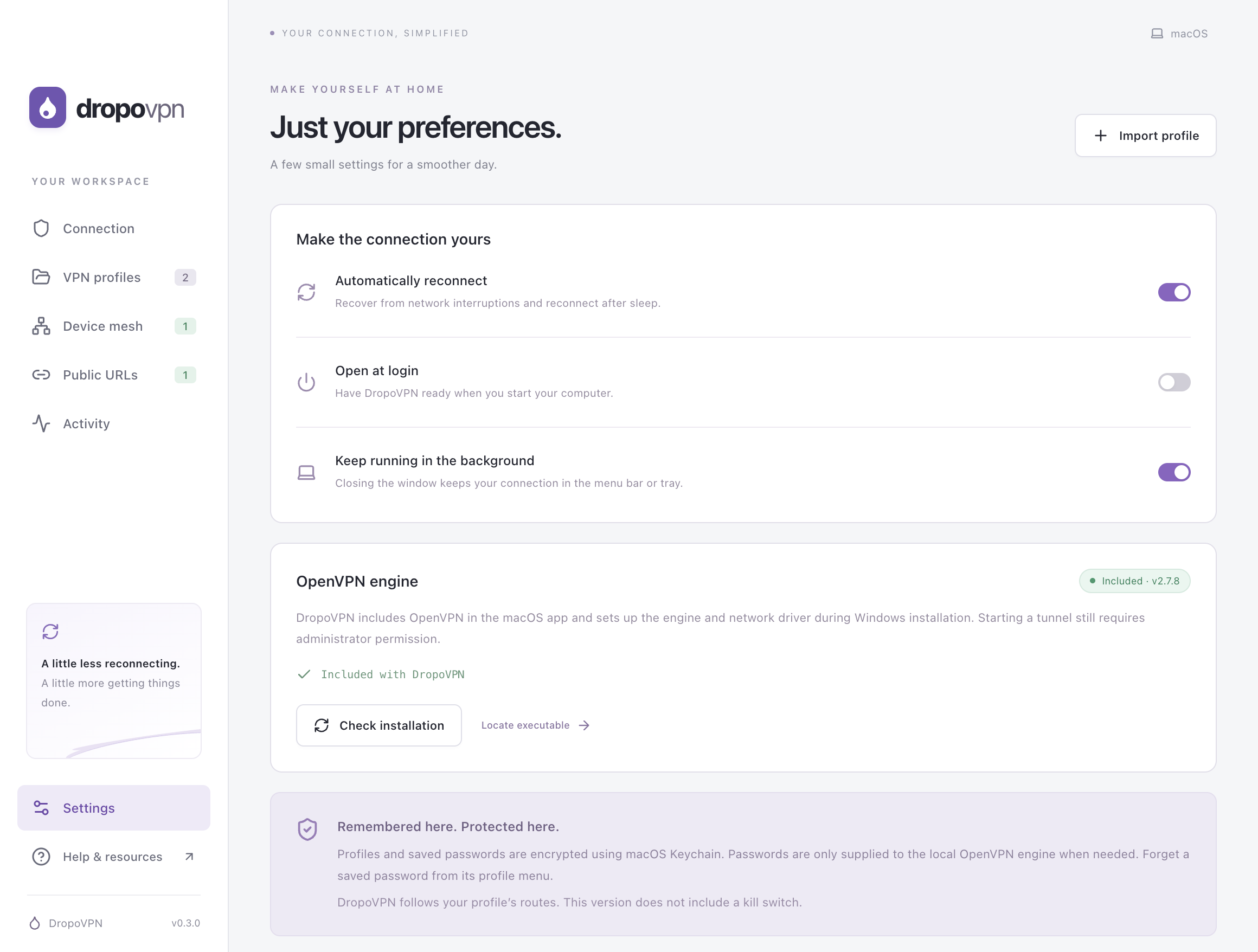
A few useful preferences, plus a clear view of your installed OpenVPN engine.
MAKE YOURSELF AT HOME
DropoVPN 0.4.2 · Public preview · MIT licensed
Apple Silicon · ARM64 · macOS 13+
Download for macOS .dmgPrefer a ZIP? Download the archiveMove DropoVPN to Applications and open it. This preview isn’t notarized, so the first time, choose Open Anyway in System Settings → Privacy & Security. No Homebrew or separate engine setup needed. An Intel Mac build is not included in this release.
Intel & AMD · x64
Download for Windows .exeOne installer for the app, engine, and driverThe installer sets up OpenVPN and its signed network driver. Approve the administrator prompt and restart if requested. Windows ARM devices are not tested.
FOUR SMALL STEPS
No new account to create. Use the network and credentials you already have.
Download DropoVPN for your computer. The Mac app contains its engine; Windows setup installs the engine and network driver for you.
Choose “Import profile” and select the file from your VPN provider or IT team. Keep any separate certificates alongside the file.
Enter your VPN credentials and choose “Remember me on this device.” Approve the system administrator prompt to start your tunnel.
Open Device mesh, create a mesh, and join from your other devices with the invite. Share an address like localhost:3000 and open it on all of them.
GOOD TO KNOW
With automatic reconnection enabled, DropoVPN retries using the same session credentials. Retry delays increase up to 30 seconds. Rejected passwords pause the connection so you can correct them. If the engine exits and must restart, your computer may ask for administrator permission again. Disconnecting manually stops retries.
On your computer, encrypted with Electron safeStorage using macOS Keychain or Windows DPAPI. DropoVPN supplies credentials to the local OpenVPN engine when needed. You can forget a saved password from the profile menu. Windows DPAPI does not protect against every program running as your Windows user.
DropoVPN supports imported OpenVPN TUN profiles with username/password or certificate authentication. One-time codes, browser sign-in, proxy authentication, hardware tokens, TAP profiles, and connection blocks are not supported in this preview. Some provider-specific configurations may need a compatible export.
On macOS, the engine is part of the app and is removed with it. On Windows, OpenVPN and its driver are shared system components and stay installed. You can remove OpenVPN separately in Windows Installed Apps if no other VPN application needs it.
No. Your profile controls routing, and traffic is not automatically blocked while reconnecting. A split-tunnel profile only routes the destinations it specifies through the VPN.
The relay connects your mesh devices when they can’t reach each other directly. Traffic between your devices is end-to-end encrypted with a key only they hold, so the relay passes it along without being able to read it. It does see which devices are connected, when, and how much data they exchange. You can run your own relay or turn relaying off in the app. The relay at dropovpn.samuelnimoh.com is a background service the app connects to, not a website.
No. The device mesh and public URLs work on their own, with or without a VPN connection, and need no administrator permission. If your devices connect to the same OpenVPN server and it allows traffic between clients, they can use that network to connect directly.
Cloudflare quick tunnels need no account: install cloudflared and DropoVPN gives you a random trycloudflare.com address. ngrok uses the account you’ve signed in to with its agent. Your own DropoVPN relay can serve addresses on your domain. Anyone with a public link can reach that address until you stop it.
From version 0.4.0, DropoVPN checks for new releases every few hours and asks before downloading one. It installs only updates signed with the DropoVPN release key, then restarts into the new version. You can turn automatic checks off in Settings. If you’re on an earlier version, download the latest one below once.
Yes. DropoVPN’s application source is available under the MIT license. The included OpenVPN components retain their own licenses. Download the runtime sources and build instructions. Read the source or report an issue on GitHub.